Any device is the time clock.
Tablet at the counter, laptop in the back office, an old phone on a stand by the door. Pair it once and the whole team taps in with a PIN.
- PIN-based clock-in
- Pair trusted devices
- No biometric machine
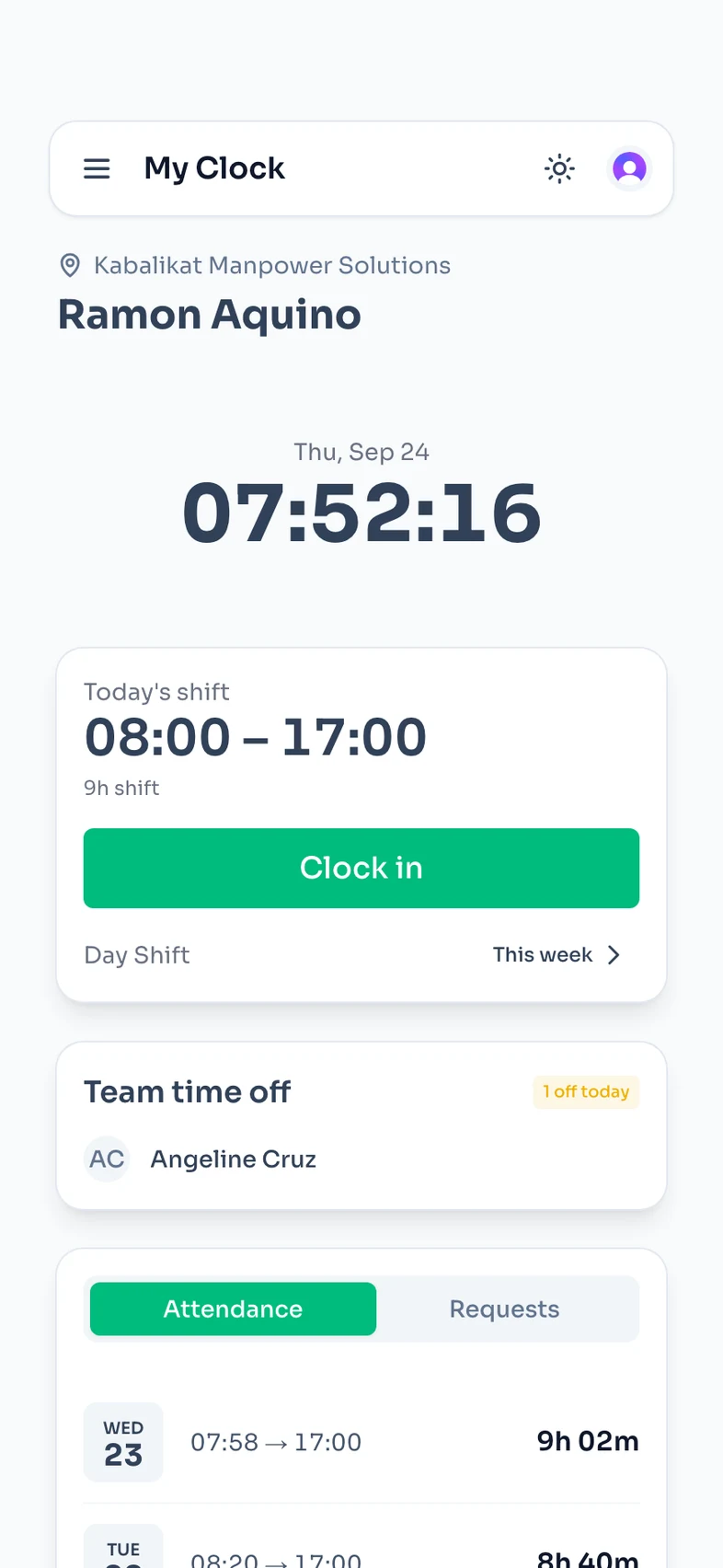
Staff clock in with a PIN from a shared kiosk, or from their own phone when they work off-site. Hours, lates, and overtime total themselves into payroll-ready timesheets. No biometric machine, no per-employee fees.
Set up in under 5 minutesFree Starter plan
Joy Mendoza
Kapenerie Ortigas Branch
6:58:00 AM
Thursday, May 21
Start time
--:--
End time
–
Today's shift
Recent clock-ins
Built for teams that run on shifts
Built for retail stores, laundry shops, clinics, restaurants, warehouses, outsourced and deployed teams, remote and work-from-home teams, and multi-branch teams.
Create your workspace, add your locations, and invite your team in a few guided steps.
A shared device at the door, a personal login on their own phone, or both — set per location, changed any time.
Clock-ins land as they happen. Approve manual entries, overtime, and leave, then export a payroll-ready timesheet.
ClockTap follows the day the way your team runs it — opening clock-ins, midday requests, and a clean close. No spreadsheets in between.
07:58 AM
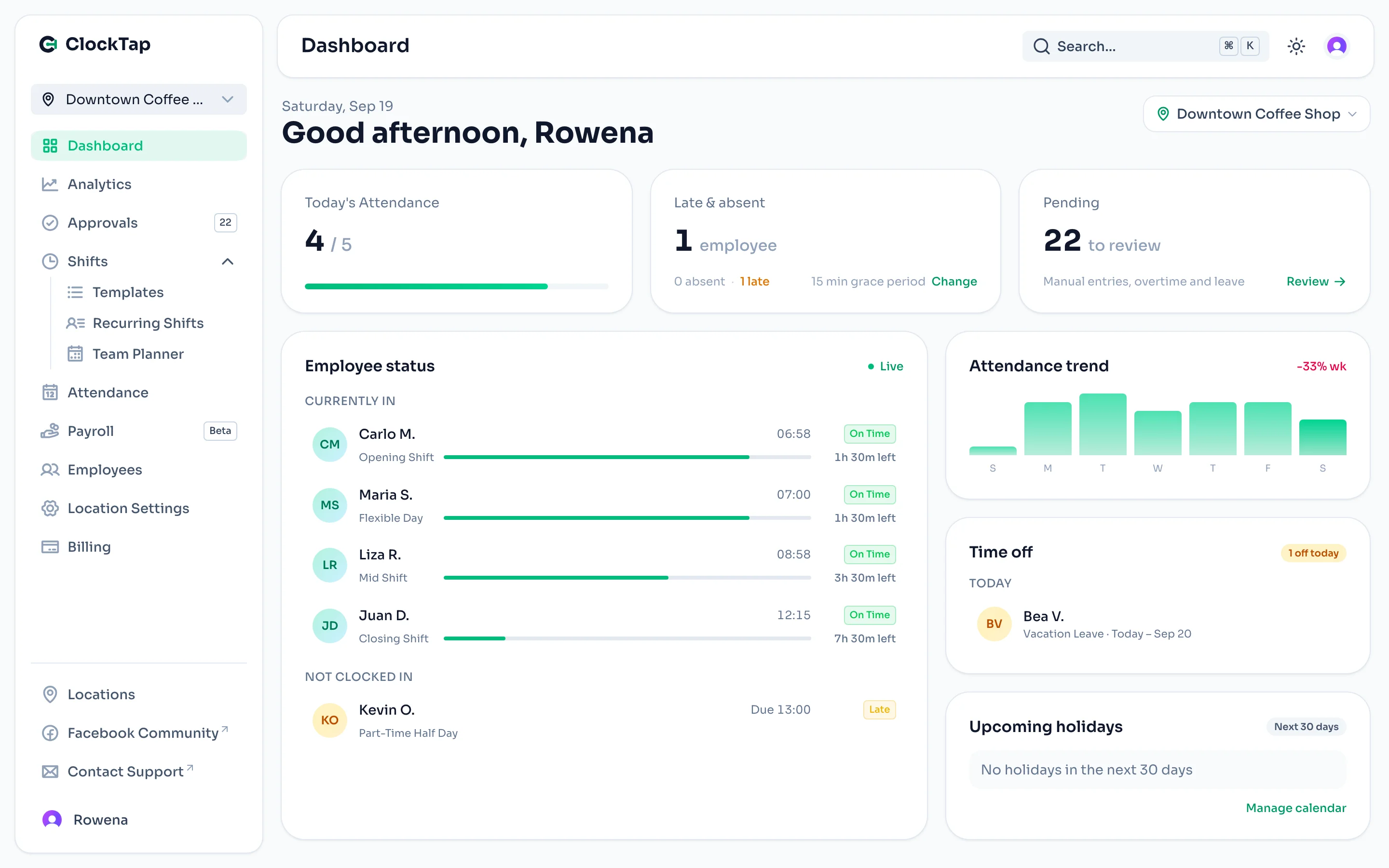
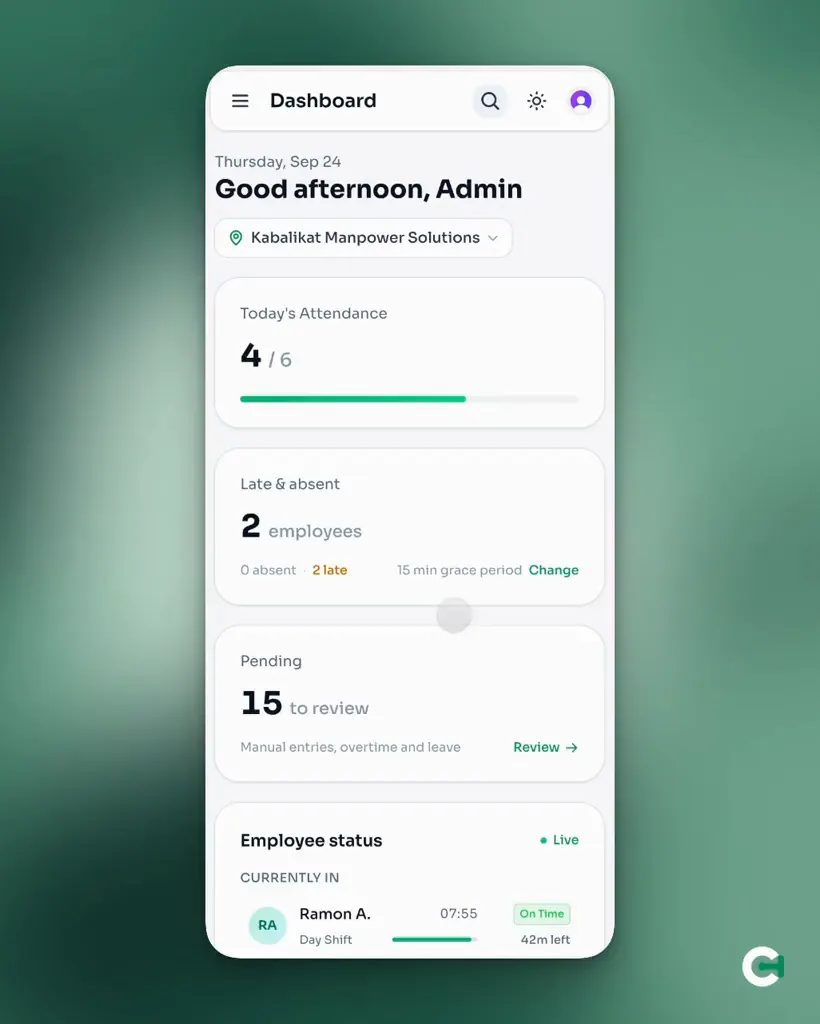
Employees tap in with a PIN at the kiosk, or from their phone on site. You watch the board fill up from anywhere — who's on time, who's late, who hasn't shown.
Thursday, May 21
24 / 30
3 today
5 queued
Maria Santos
Cashier
Juan dela Cruz
Stock Clerk
Andrea Reyes
Supervisor
Joy Mendoza
Sales Associate
12:40 PM
Missed clock-outs, overtime filings, and leave requests queue up in one place. Approve or reject with the context attached — no screenshots, no scrolling back through chats.
Carlo Aquino
Manual Entry · Missed clock-out
Liza Tan
Overtime · 2.5 hrs filed
Paolo Cruz
Leave · Sick leave
09:12 PM
Hours, lates, absences, and overtime are already totaled when the shutter comes down. Export a payroll-ready CSV instead of re-encoding a logbook.
Thursday, May 21
24
3
2
4
Share one device at the door, or let each person use the phone already in their pocket. Nothing to install, nothing to buy.
Tablet at the counter, laptop in the back office, an old phone on a stand by the door. Pair it once and the whole team taps in with a PIN.
Staff deployed to a client site have no counter to tap in at. So they use the phone in their pocket — pinned to the site you assigned them to.
Most teams end up running both — a kiosk at the branch, phones for whoever is deployed somewhere else.
Clocking in is the easy part. These are the pieces around it — the ones you set once, then stop thinking about.
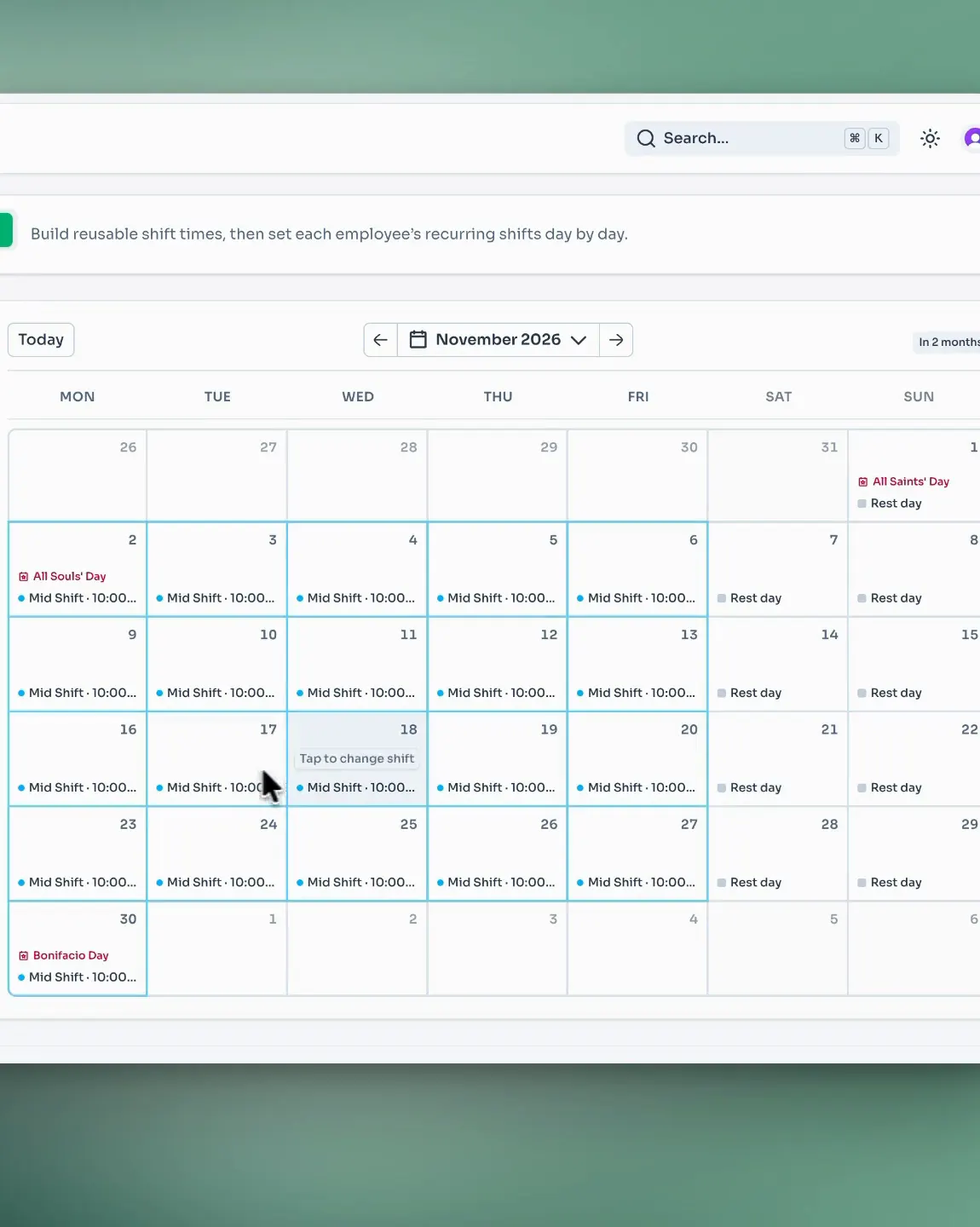
See how it all worksAssign the shift each employee works, per location. Lates and overtime are counted against it, using the grace period you set.
Missed clock-outs, overtime filings, and leave requests land in the same tray — with leave checked against the balance before you approve.
Lock clock-ins to a location's network or to a radius around it, so a shift can only start where the work actually happens.
Staff deployed to a client site, or working from home, clock in on their own phone — with the same location checks when you need them.
Built for teams that need kiosk attendance, approvals, and multi-location visibility without bloated per-user pricing.
Prices shown in Philippine peso.
For small teams running one kiosk and basic attendance workflows.
Best for one location getting started. Free forever.
For growing operators that need approvals, kiosk mode, and multi-location visibility.
Early Supporter price. Lock in this rate for life while your subscription stays active.
For larger groups that need broader rollout support, deeper controls, and flexible operations.
Early Supporter price. Lock in this rate for life while your subscription stays active.
Start Pro or Max with a 14-day free trial — cancel anytime before it ends. Prices are billed yearly in Philippine peso.
Wherever staff clock in and out, ClockTap replaces the logbook and the biometric machine with a browser.

Know who opened, who is on bar, and who ran late from the tablet already on your counter.

See who opened and who closed each branch straight from a shared kiosk.

Staff posted to a client site — or working from home — clock in on their own phone
ClockTap is a browser-based attendance system for retail stores, restaurants, clinics, outsourced and deployed teams, and other shift-based businesses. It replaces paper logbooks, spreadsheets, and biometric hardware with one web app for clock-ins, approvals, employee records, schedules, and attendance reporting.
Teams can run a shared kiosk on any device, let employees clock in with a PIN or from their own phone, review overtime and leave requests, and monitor attendance across one or more locations from a central dashboard.
Everything about how ClockTap works today — grounded in what's actually in the product.
No. ClockTap works through a browser and kiosk mode, so your team can track attendance without biometric machines.
Yes. That is the core problem ClockTap solves: instead of paper daily time records, logbooks, or shared spreadsheets, clock-ins are captured at a kiosk or on staff phones, and hours, lates, and overtime total automatically into payroll-ready timesheet exports.
Yes. ClockTap includes kiosk mode, so you can set up a shared device at any location, office, or client site for employee clock-ins and clock-outs.
Employees can clock in and out using PIN-based authentication from a shared kiosk, or from their own phone when they work away from one.
Yes. Staff who work away from a shared kiosk can clock in from their own phone. For on-site work, clock-ins can be locked to a site's network or to a radius around its location, so attendance is proof that they were there. For work-from-home staff, you can leave those restrictions off.
Yes. ClockTap supports multi-location management, whether those are branches of your own business or separate client sites. The Pro plan supports up to 5 locations, while Max supports up to 25 locations and 250 employees. Running more than that? Get in touch and we will size a plan with you.
Yes. ClockTap supports employee management, roles, and location-level access.
Yes. ClockTap includes attendance reports, and reports can be exported to CSV.
Yes. ClockTap has manual entry requests for new entries or edits to existing attendance records. Requests can be pending, approved, rejected, or cancelled.
Yes. ClockTap has shift templates and employee shift assignments by day of week.
Yes. ClockTap has overtime records and an approval flow for overtime.
Yes. ClockTap includes leave records, leave policies, leave balances, accruals, carryover settings, and leave balance transactions.
Yes. ClockTap has per-location holiday override support, including regular holidays, special non-working holidays, and special working holidays.
Yes. The Starter plan is ₱0/year and includes up to 5 employees, 1 location, kiosk mode, basic attendance reports, and email support.
Pro is ₱999/year for up to 50 employees and 5 locations, and Max is ₱2,990/year for up to 250 employees and 25 locations — flat Early Supporter rates per plan, not per employee, locked in while your subscription stays active. Both include a 14-day free trial, and you can upgrade from the billing page once you sign in.
Yes. ClockTap is built for Philippine businesses first: pricing is in Philippine pesos, the timezone defaults to Asia/Manila, and per-location holiday handling understands regular holidays, special non-working days, and special working days.
Sprout is a full HR and payroll suite for Philippine enterprises, typically priced per employee per month and often deployed with biometric devices. ClockTap covers the attendance layer only: browser kiosk and personal-phone clock-ins with no hardware to buy, flat yearly pricing that starts free, and payroll-ready exports that feed whatever payroll process you already run. If your team needs dependable time tracking without rolling out a full HR platform, ClockTap is built for exactly that.
8:42 AM
Create your workspace, add your employees, pair a kiosk, and start tracking attendance — under 5 minutes, start to finish.
Free Starter plan · No biometric machine · No per-employee fees