Dashboard
See who is in, who is late or absent, and what waits for your approval today.
Dashboard
The dashboard is the first screen after you sign in. It shows today at one location, or at all your locations together.
Today's numbers
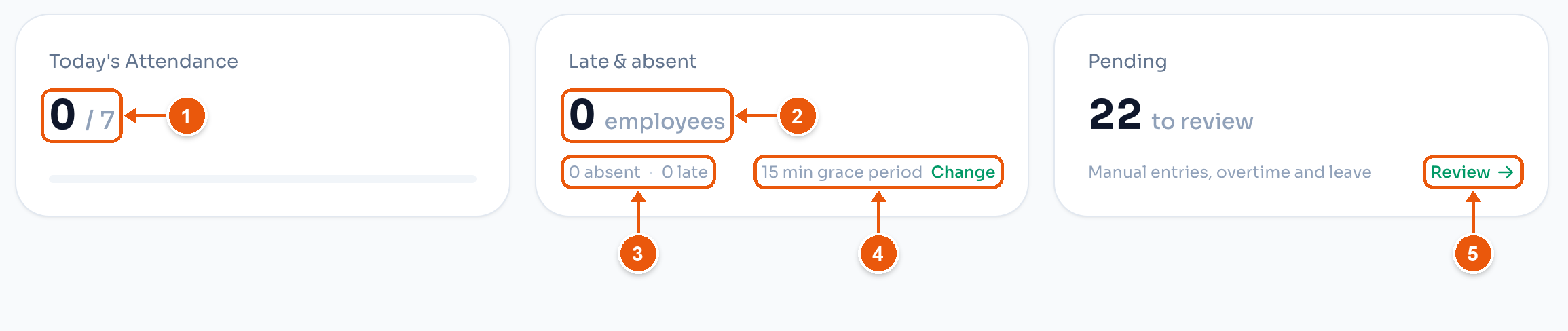
- Today's Attendance. Who clocked in today, out of everyone scheduled. Here, 0 of 7. Tap it to open Attendance with only the people who are in.
- Late & absent. Late and absent people as one number. Tap it to see their names.
- The same number split into absent and late. Tap one to see only that group.
- The grace period that decides who is late. Here, 15 minutes. Change opens Location Settings → Lateness.
- Review opens Approvals. The card counts manual entries, overtime and leave that wait for you. Here, 22.
An employee is late when the shift has started, the grace period is over, and they have not clocked in. An employee who clocked in after the grace period is late too. An employee is absent when the shift is over and there is no clock-in.
Employee status
This list shows everyone scheduled today, in three groups: Currently in, Not clocked in and Clocked out. A group with nobody in it does not show.
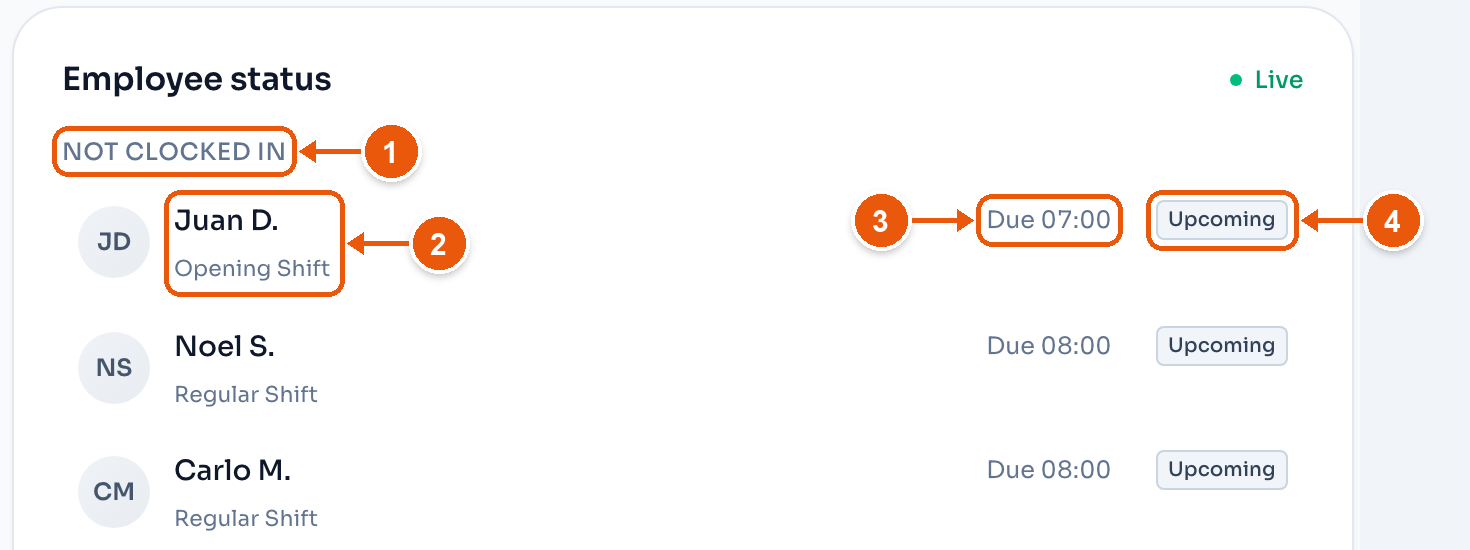
- The group. Here, Not clocked in, because nobody has clocked in yet.
- The employee and their shift. Tap the row to open their attendance.
- When the shift starts. Here, Due 07:00.
- The status.
Currently in rows show the clock-in time and a bar with the time left in the shift. Clocked out rows show the clock-in and clock-out times and the hours worked. A row with no shift shows Add schedule, which opens Recurring Shifts for that employee.
What each status means:
- On Time. Clocked in within the grace period.
- Late. Clocked in after the grace period, or not in yet and past it.
- Upcoming. The shift has not started yet.
- Absent. The shift is over and there is no clock-in.
- Early Out. Clocked out before the shift ended.
- Rest Day OT. Worked on a rest day. These hours count as overtime.
- Holiday. The location is closed for a holiday. Nobody needs to clock in.
Trend, time off and holidays
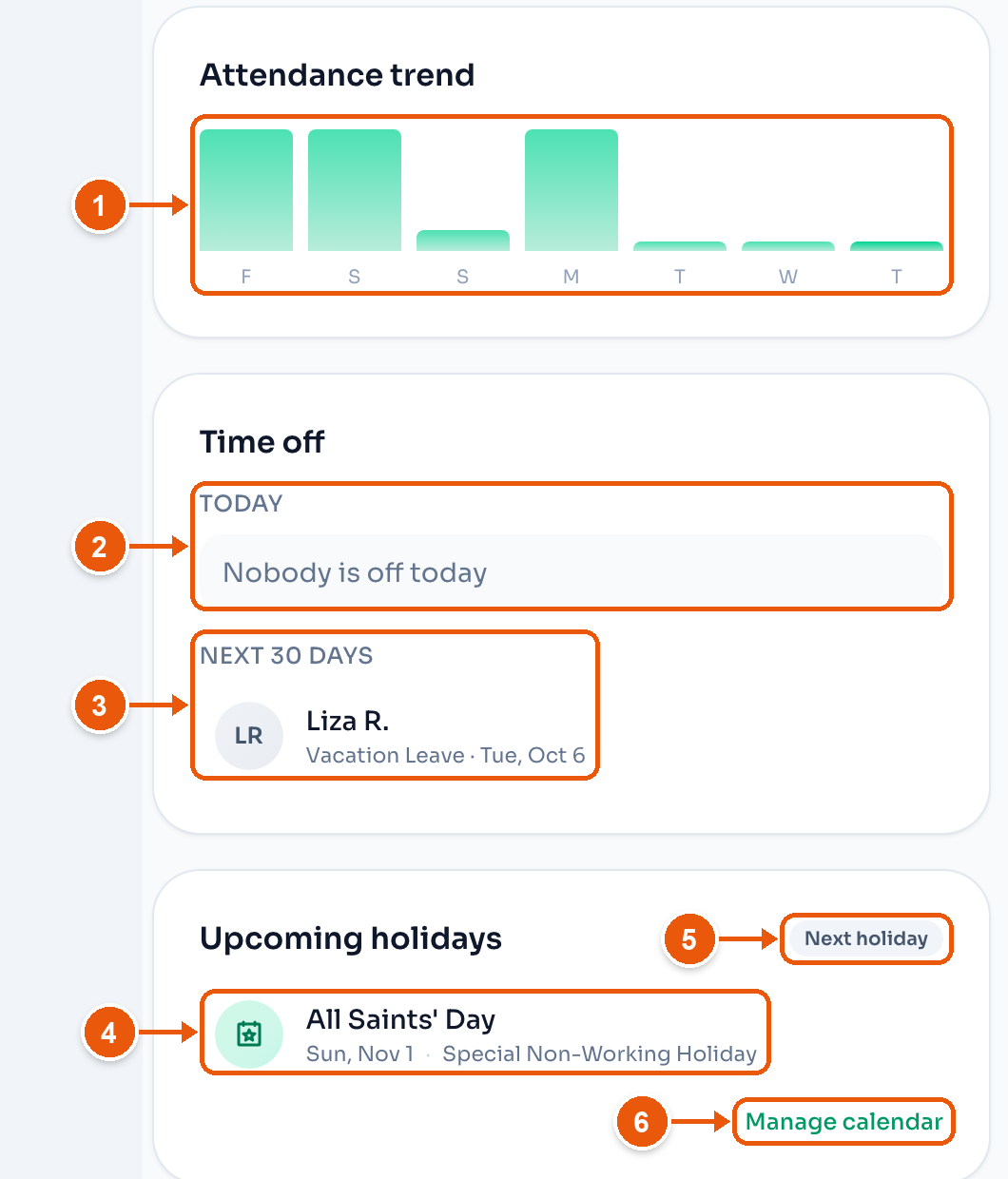
- Attendance trend. One bar a day for the last seven days. The last bar is today.
- Today. Who is on leave today. Here, Nobody is off today.
- Next 30 days. Leave that starts soon. Here, Liza R., Vacation Leave on Tue, Oct 6. Tap a name to open their leave requests.
- A holiday, with its date and type. The type decides the holiday pay. See Holidays.
- Next holiday shows when no holiday falls in the next 30 days. The card then shows the next one.
- Manage calendar opens the location's holiday settings.
The holiday card shows only when the location tracks holidays. On a holiday, a Holiday today banner under the counters names it.
One location or all
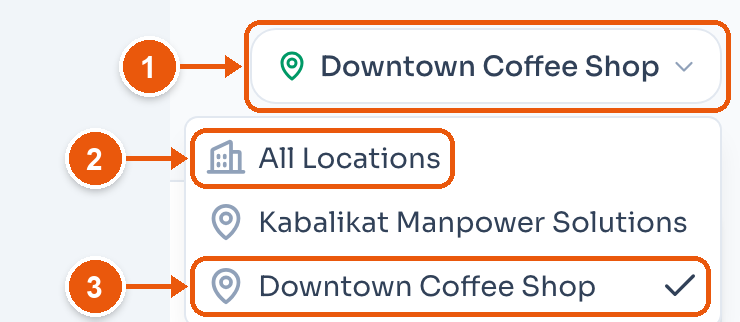
- The location you are looking at. Tap it to switch.
- All Locations adds up every location. It shows only when you have more than one.
- The location in use has a check mark.
The menu at the top of the sidebar does the same, on every screen. A change in one place changes the other. This browser remembers your choice.
Before the first clock-in
Until a location has its first clock-in, the dashboard shows a setup list in place of the numbers.
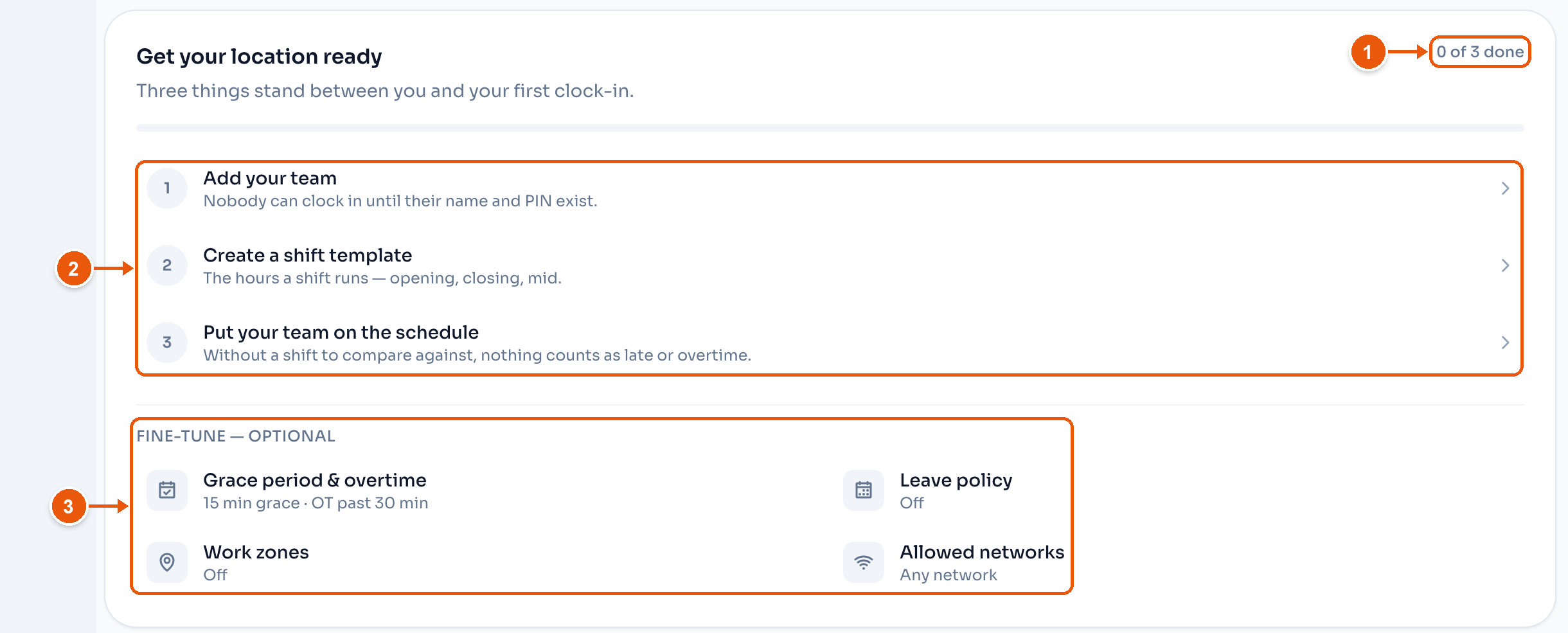
- How many steps are done. Here, 0 of 3 done.
- The steps. Tap one to do it. A personal-login location with invited staff also has Get your team signed in.
- Fine-tune — optional. Settings that are fine to leave as they are. Tap one to change it.
A kiosk location also shows a card for the kiosk above the list. See Shared Device. After the first clock-in, the list goes away and the normal dashboard shows.