Payslip and export
Finish each employee's payslip, repeat an allowance every cut-off, and download the whole period.
Payslip and export
Attendance and payslip
Attendance lists the hours for each day. Pay Categories under it groups the same hours by day type, for your accountant.
Payslip is a draft. ClockTap fills in the pay, and SSS, PhilHealth and Pag-IBIG if contributions are on. What you type saves to that payslip.
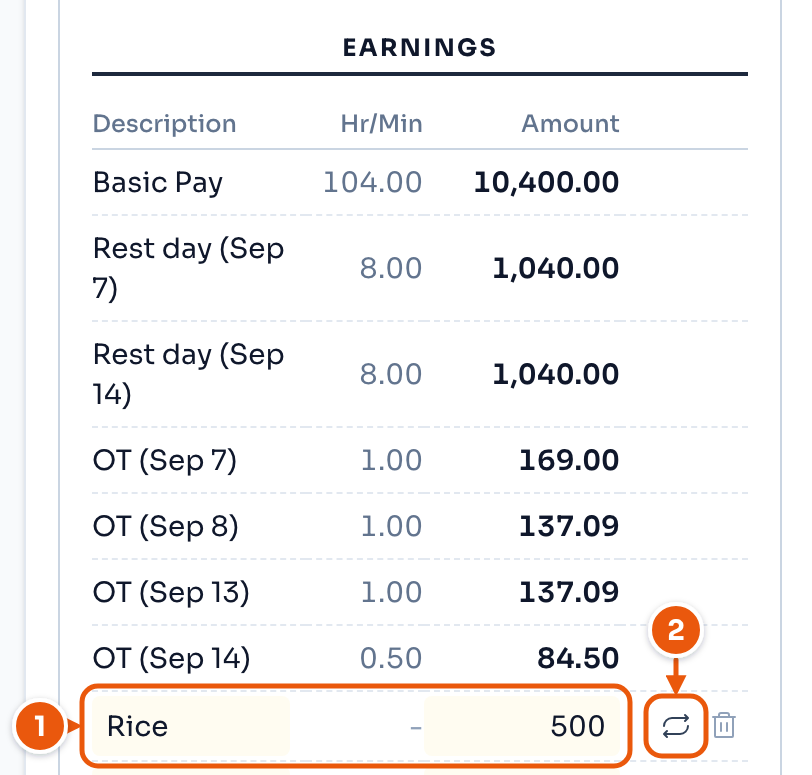
- Add an earning: a name and an amount. Here, Rice, 500.
- Repeat it on later payslips.
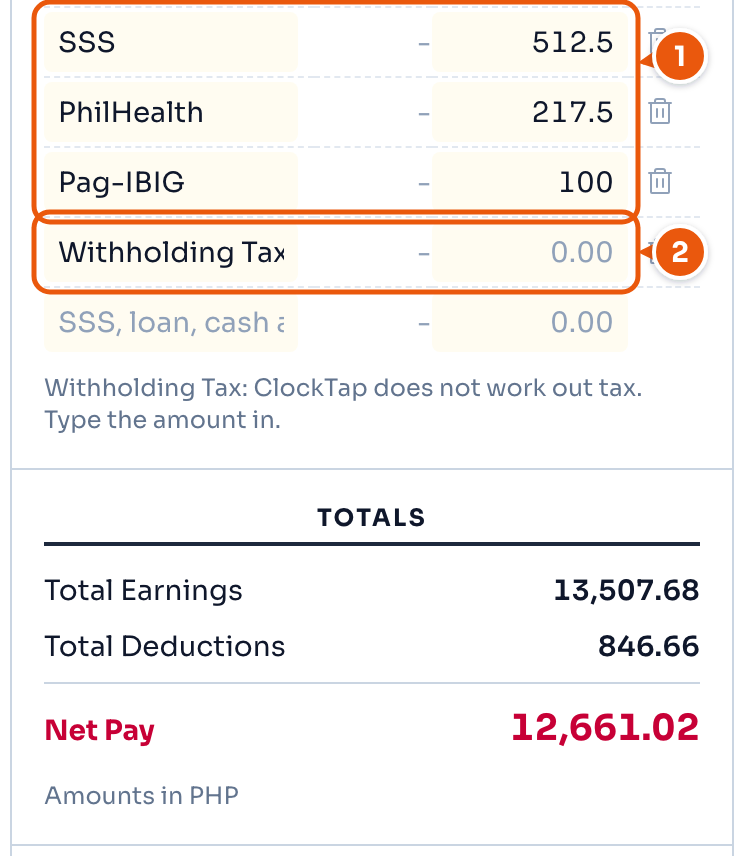
- SSS, PhilHealth and Pag-IBIG. Type over any amount to change it.
- Withholding Tax stays blank. Type it yourself.
Net Pay updates as you type.
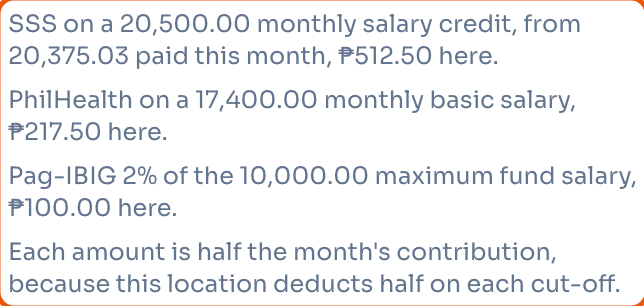
The note under the payslip shows what each contribution is based on.
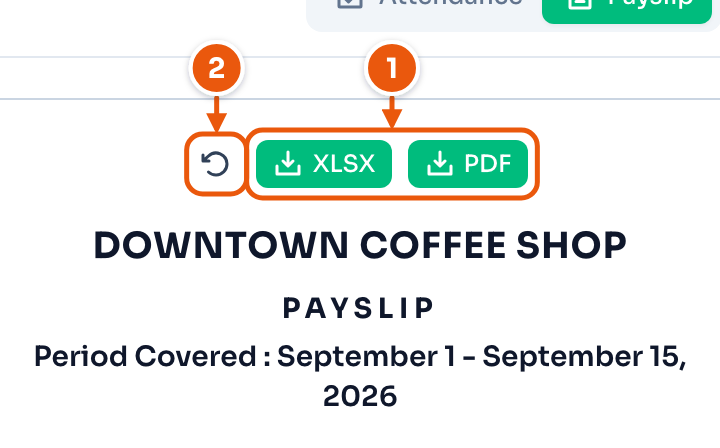
- Download as XLSX or PDF.
- Undo what you typed on this payslip.
Repeat an allowance
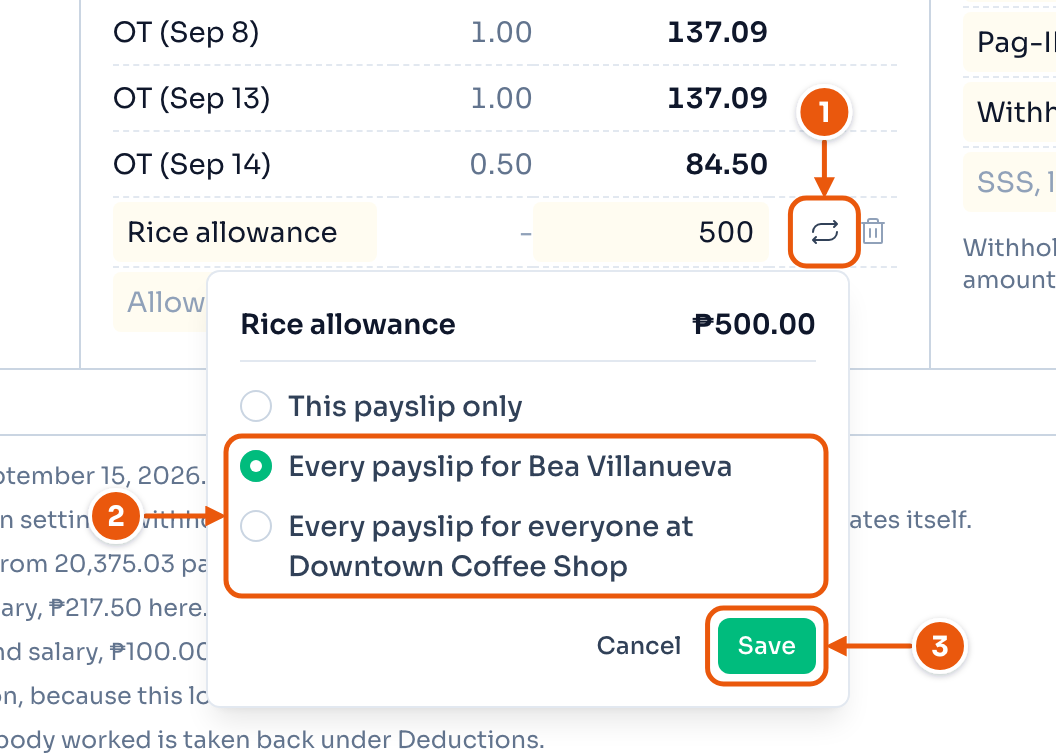
- The repeat button.
- Repeat it for this employee, or for everyone at the location.
- Save.
This payslip only stops the repeat for that employee. The trash button on the row stops it as far as it reached: for that employee, or for everyone at the location. A new amount on one payslip changes that payslip only. To leave a location allowance off one employee, set it to 0 on their profile.
Export
Export on the payroll page downloads the whole cut-off.
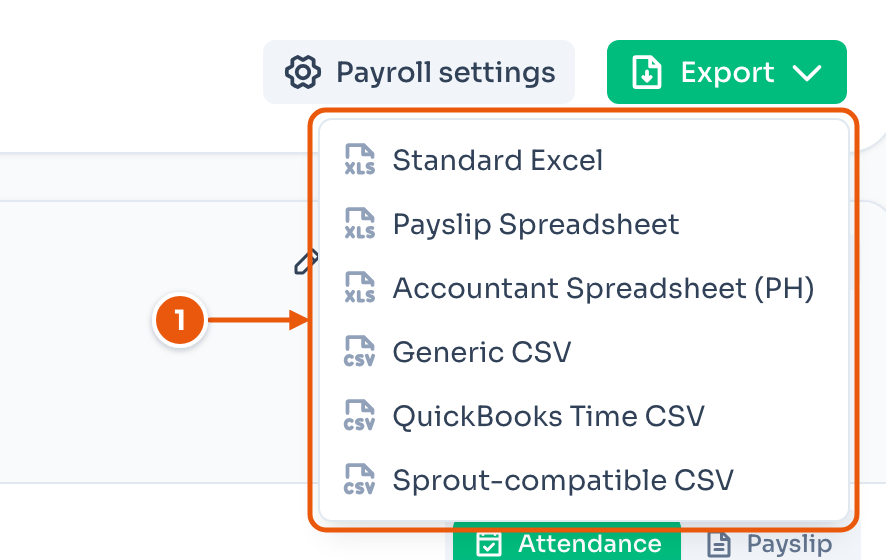
- Standard Excel — one sheet per employee, day by day, with pay totals.
- Payslip Spreadsheet — one payslip per employee. Deductions are blank for you to fill.
- Accountant Spreadsheet (PH) — one row per employee, grouped the way a Philippine bookkeeper expects.
- Generic CSV — one row per employee per day.
- QuickBooks Time CSV — for a QuickBooks timesheet import.
- Sprout-compatible CSV — for a Sprout import. Check the columns first.