Holidays
Load a country's national holidays for a location and add your own.
Holidays
Each location has its own holiday calendar. ClockTap loads a country's national holidays, and you add your own, such as a town fiesta or a store anniversary. Payroll uses the calendar to pay holiday work at its own rate.
A closure at one location does not change any other location.
The holiday calendar
Open Location Settings → Holidays.
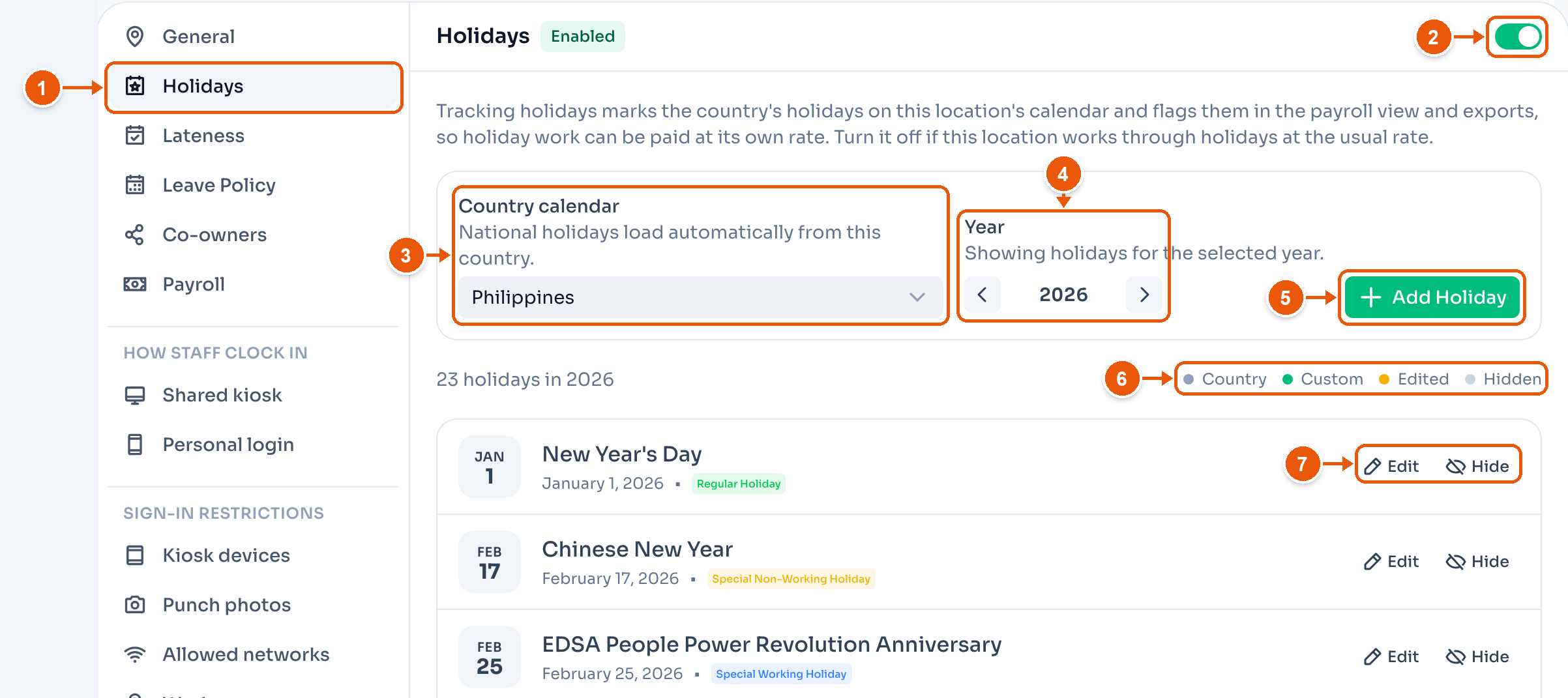
- Holidays in the settings menu.
- Turn holidays on for this location. It saves at once. Leave it off if this location pays holiday work at the usual rate. Turning it off keeps your calendar for later.
- Country calendar. National holidays load from this country. Here, Philippines. A change saves at once.
- Year. The arrows change which year the list shows.
- Add Holiday adds a holiday for this location only.
- The colour key. Country, Custom, Edited and Hidden holidays each have their own colour.
- Edit or Hide a holiday.
A new location starts with holidays off. Holidays are a Pro feature. On Starter you can see the calendar, but not change it.
For the Philippines, the list follows that year's Presidential Proclamations, the same list as our Philippine holiday calendar. Days that do not change pay, such as Lantern Festival and Iglesia ni Cristo Day, are left out.
Country and custom holidays
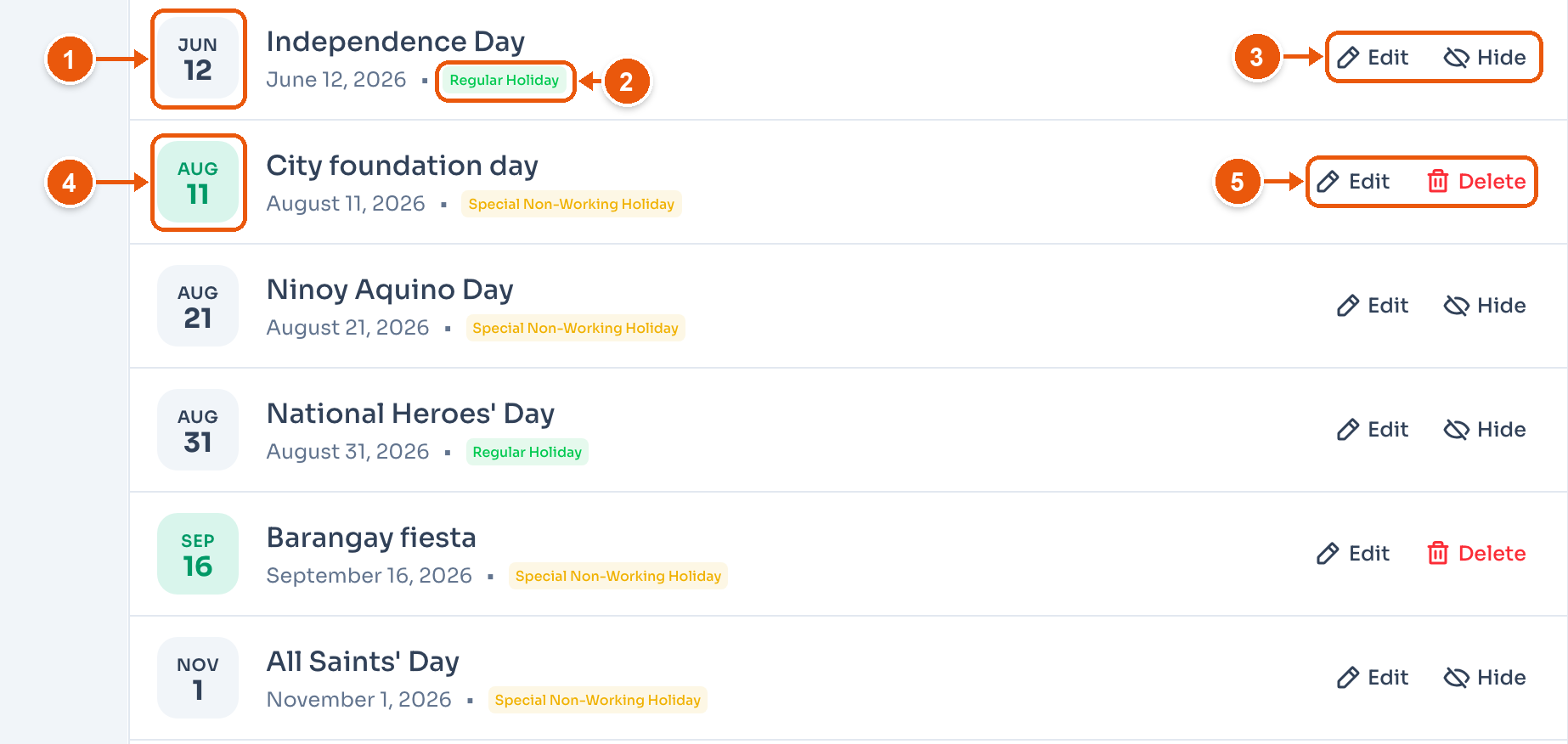
- A grey date is a country holiday. Here, Independence Day.
- The holiday type. See Holiday types.
- Edit changes it for this location only. Hide takes it off this location's calendar, for a day you stay open.
- A green date is a custom holiday you added. Here, City foundation day.
- Edit or Delete.
A hidden holiday shows crossed out, with Unhide. An edited country holiday has Undo, which brings back the country's version.
Add a holiday
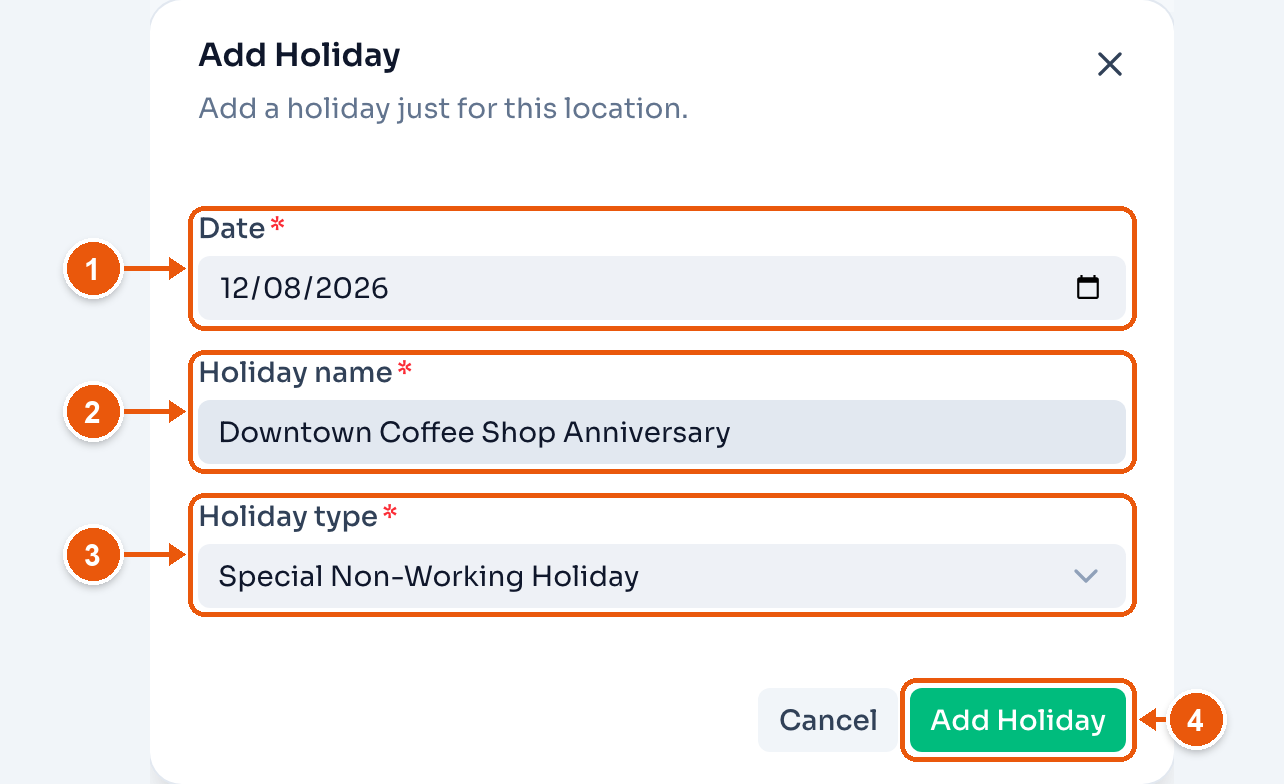
- Date.
- Holiday name. Here, Downtown Coffee Shop Anniversary.
- Holiday type. It starts at Special Non-Working Holiday.
- Add Holiday. It shows on the list right away.
Edit a country holiday
Click Edit on a country holiday to rename it, move its date, or change its type at this location.
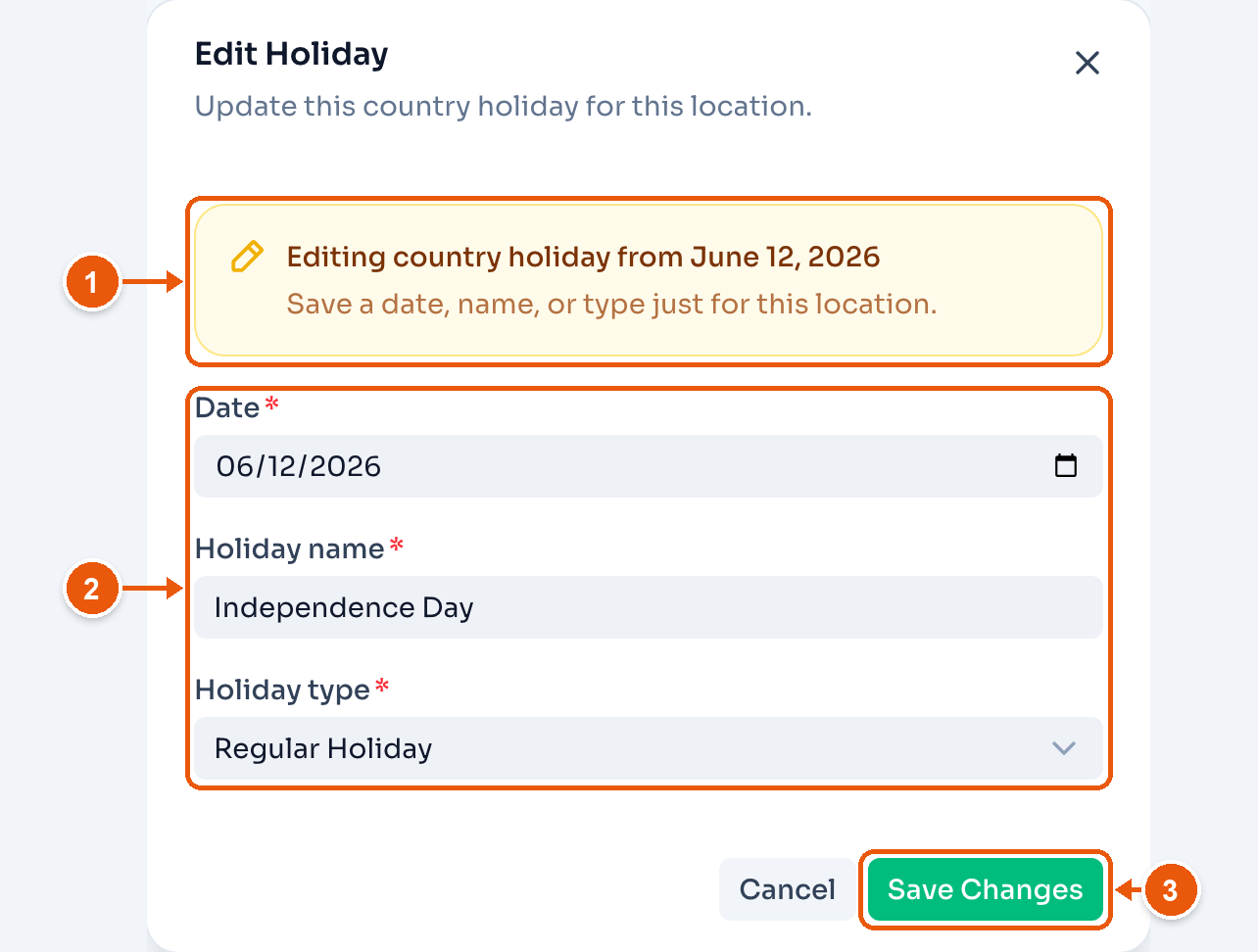
- The note names the country holiday you are changing.
- Date, Holiday name and Holiday type.
- Save Changes. The holiday shows as Edited.
Holiday types
The type sets how payroll pays work on that day:
- Regular Holiday. The highest rate. Work on the day pays 200%.
- Special Non-Working Holiday. Work on the day pays 130%.
- Special Working Holiday. A normal working day, with no extra pay.
Rest days and overtime on a holiday add to these rates. To skip the regular-holiday rate at a location, turn off Pay the regular-holiday premium in Payroll settings.