Payroll settings
Set the pay period, staff pay rates, premium rules, allowances and deductions for a location.
Payroll settings
Open them from Payroll settings on the Payroll page, or from Location Settings → Payroll. Change a setting, and every figure updates.
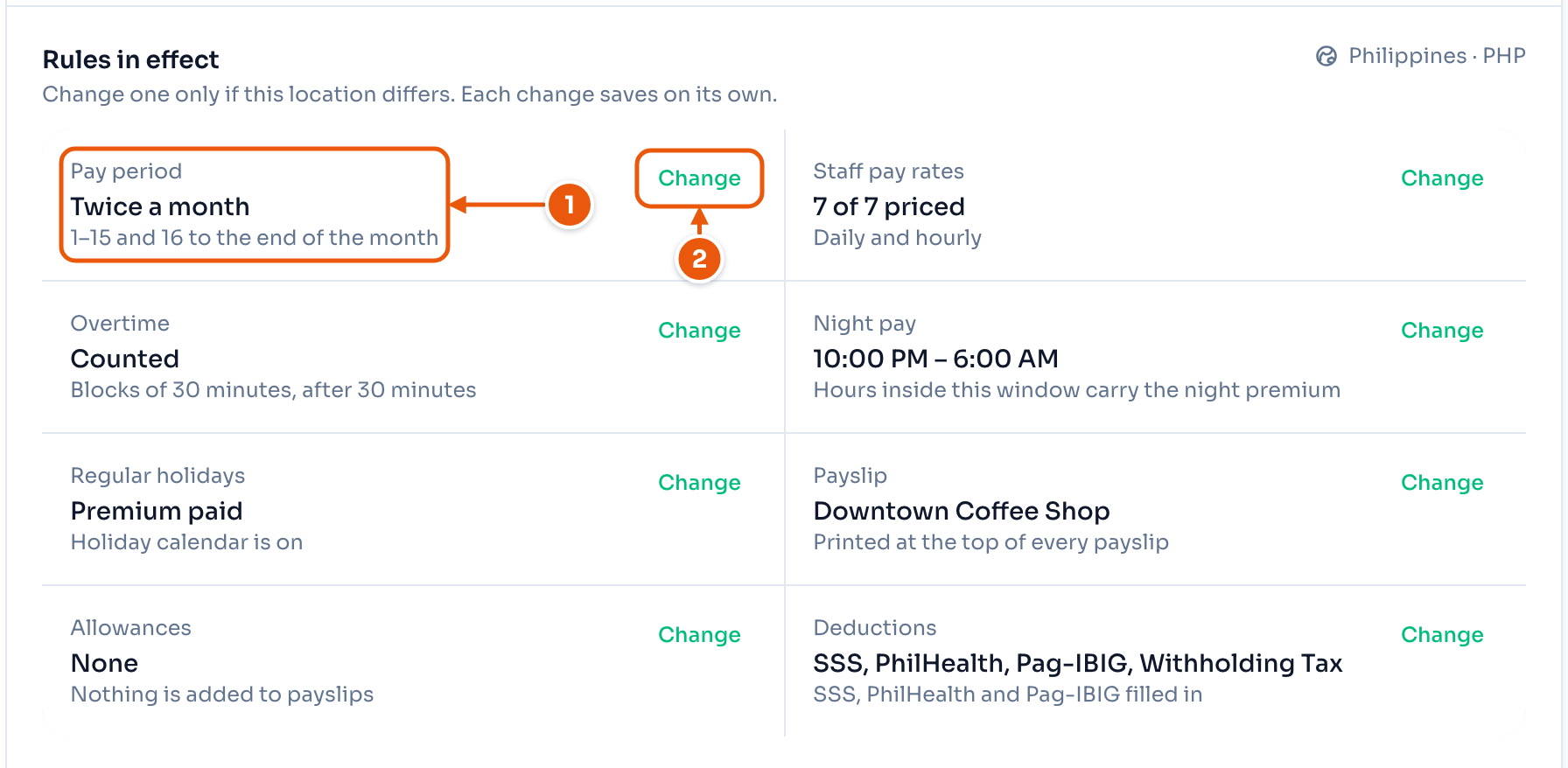
- The current rule.
- Change edits that rule.
1. Pay period
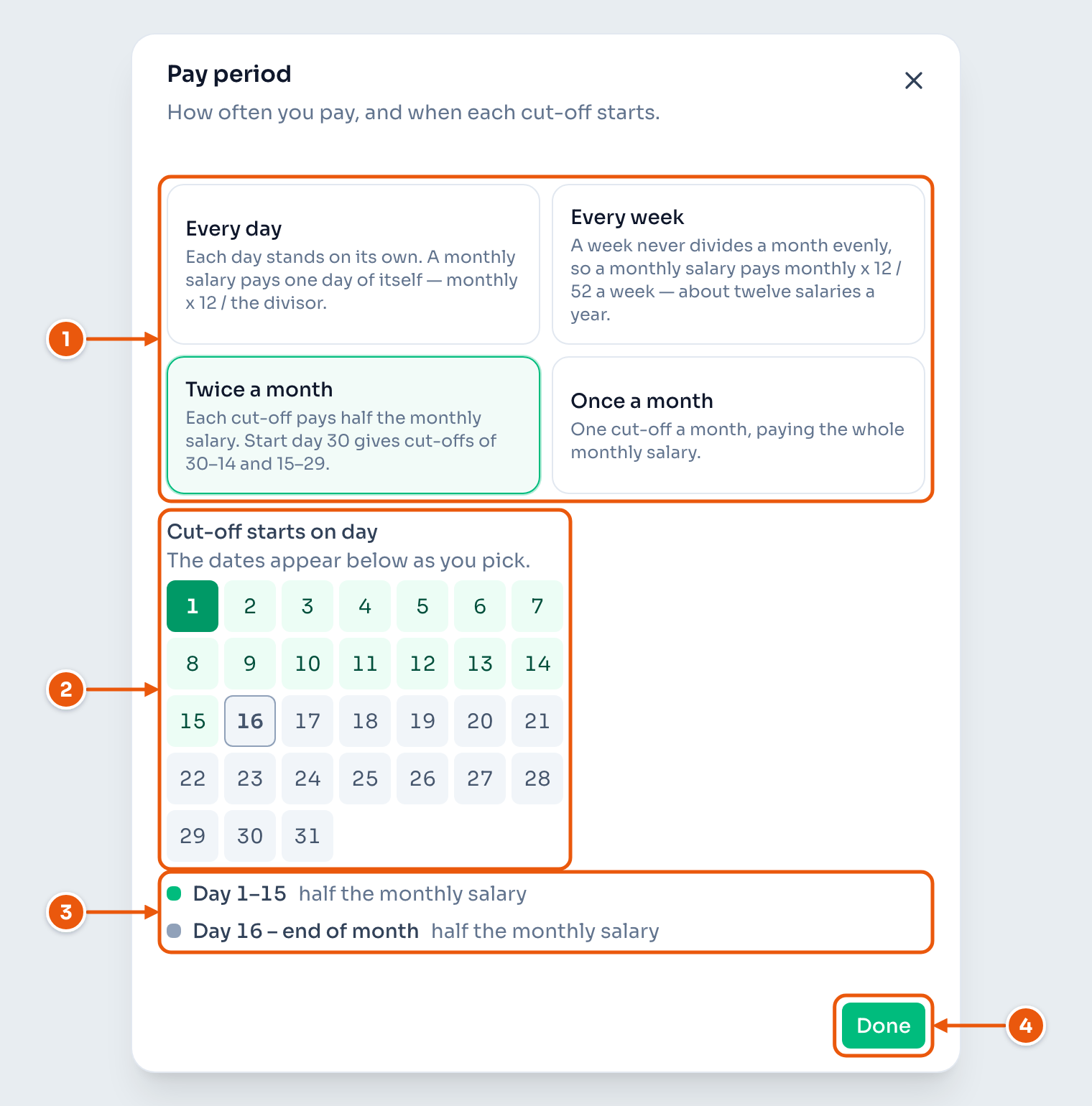
- How often you pay.
- The day a cut-off starts.
- The dates you get. A start day of 1 gives the 1st–15th and the 16th–end of the month.
- Done.
2. Staff pay rates
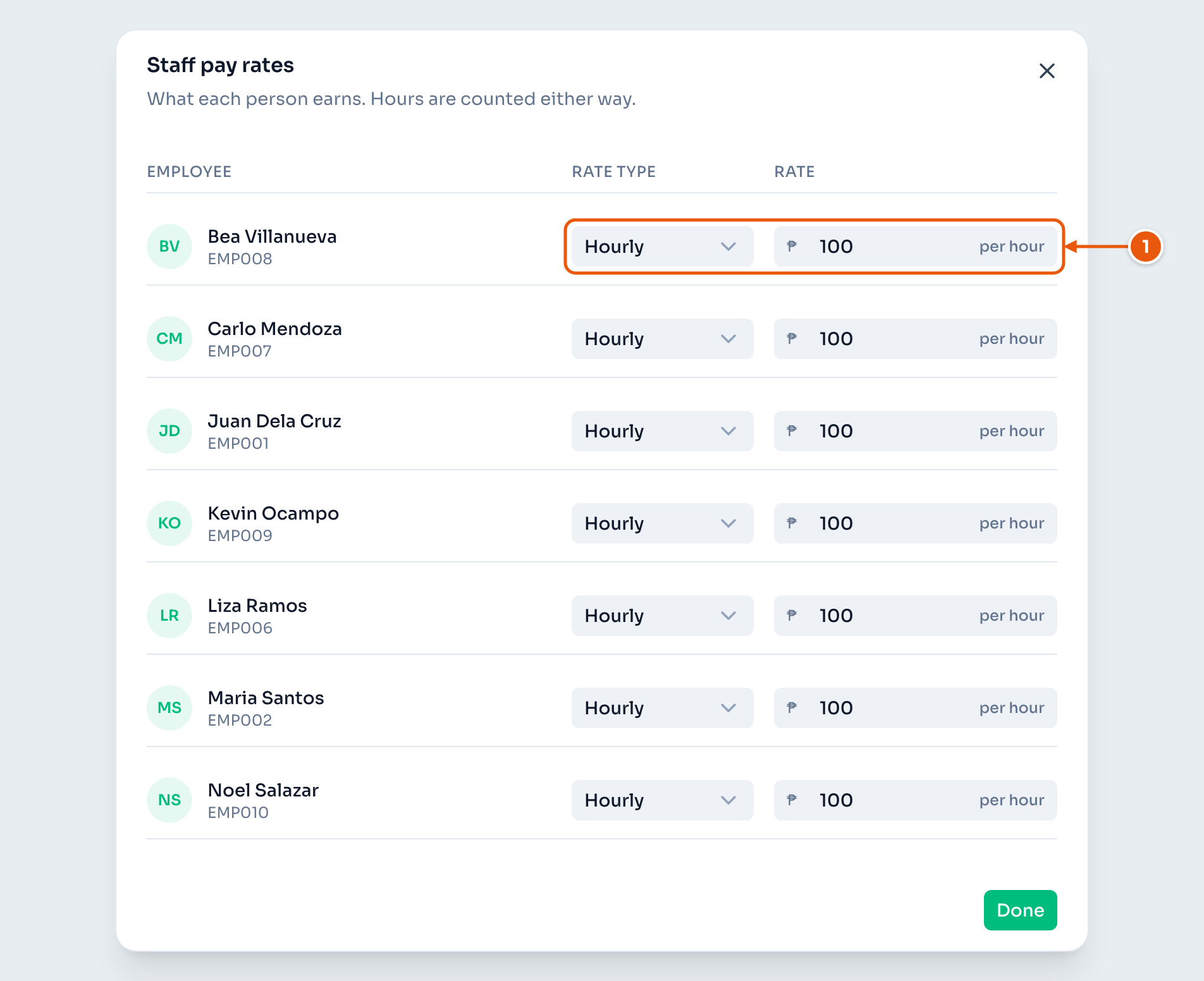
- The rate type and the amount. Each row saves on its own.
A monthly salary needs a Monthly salary basis: 261 for a five-day week, 313 for a six-day week. If the basis does not match the shifts, ClockTap warns you and names the employees.
3. Overtime, night pay and regular holidays
- Count overtime — turn it off, and this location has no overtime.
- Pay the regular-holiday premium — most employers leave this on.
- Night differential — the night hours. The default is 10pm to 6am.
The pay rates for overtime, rest days and holidays follow Philippine law. See Holidays.
4. Payslip
The business name at the top of every payslip.
5. Allowances
Earnings on every payslip at this location, such as rice or transport. You can change the amount on any one payslip.
6. Deductions
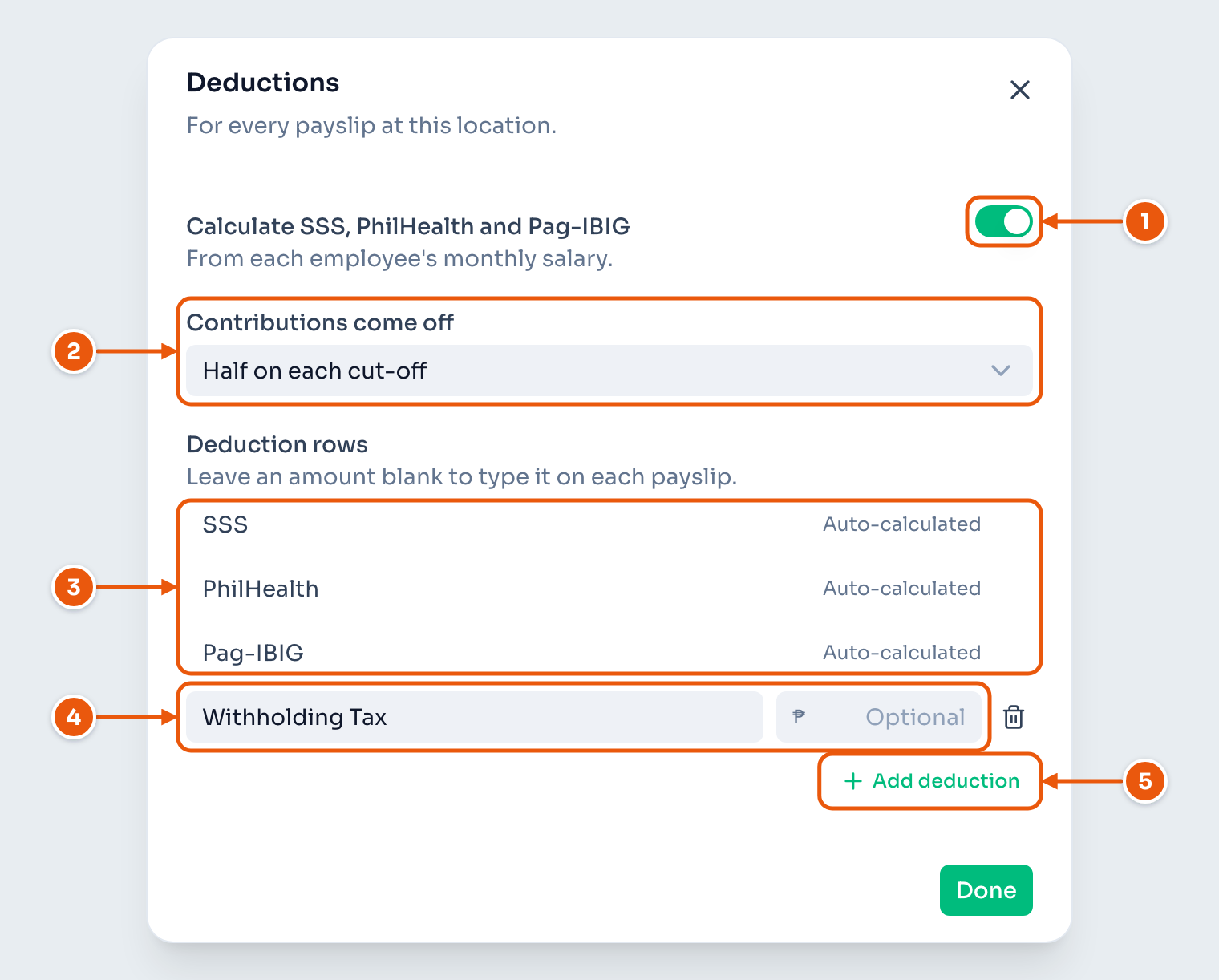
- Turn SSS, PhilHealth and Pag-IBIG on or off.
- For pay twice a month: half on each cut-off, or all on the second.
- ClockTap fills these in.
- Withholding Tax. You type it on the payslip.
- Add deduction. Give it an amount to fill every payslip, or leave it blank and type it each time.
With contributions off, the SSS, PhilHealth and Pag-IBIG rows are blank for you to fill.